
Smart Home Electronics Design in 2026 is shifting from adding more connected devices to making homes work better as systems. Sensors, lighting, thermostats, cameras, and appliances increasingly share data and respond to everyday routines. The opportunity is practical: a hallway light that switches on as someone approaches, or a thermostat that adjusts without constant attention. The experience, however, can still feel clumsy when setup is difficult or devices do not communicate.
Energy use is a major reason to rethink design. The 2024 Global Status Report for Buildings and Construction, produced by UNEP and GlobalABC, estimates that buildings and construction account for 32% of global energy use and 34% of energy-related carbon emissions. Those figures put efficient controls, energy monitoring, and responsive automation firmly on the design agenda. Interoperability matters, too. The Connectivity Standards Alliance’s Matter specification aims to help compatible products work across ecosystems, though compatibility should never be assumed for every device.
Security and usability deserve equal attention. NIST’s foundational cybersecurity guidance for IoT devices highlights safeguards such as secure configuration and protection of stored data. In a home, those principles affect ordinary moments: pairing a door sensor, changing a password, or deciding who can access a camera. Ten trends for 2026 emerge from these pressures, spanning quieter interfaces, smarter energy features, and more connected product ecosystems. Not every feature improves daily life. Sometimes, fewer steps matter more than another screen.
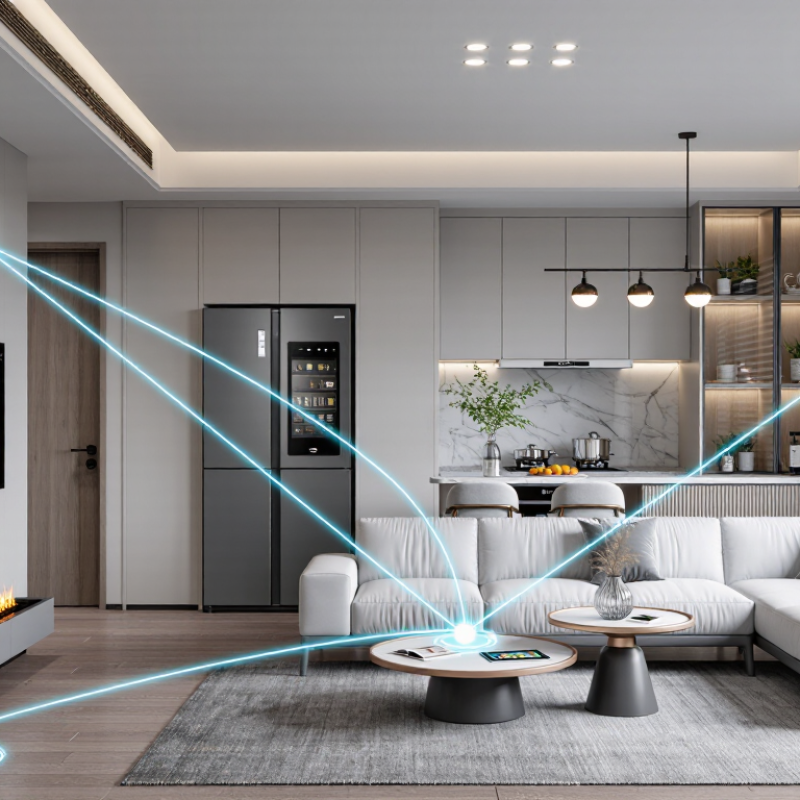
In 2026, smart home electronics are shifting from fixed schedules to systems that learn household routines. A thermostat might notice that the living room warms quickly after afternoon sun reaches the windows. Lighting controls can respond to occupancy and daylight, rather than switching on at the same time every evening. Small adjustments matter.
Useful personalization depends on context, not simply collecting more data. A system should distinguish a regular weekday from an unusual late night, and avoid treating one-off behavior as a new rule. Predictive automation can preheat a room before someone arrives, but it should explain the pattern behind that decision. It can still get things wrong.
Good design keeps people in control. Residents need clear settings to review learned routines, correct mistaken assumptions, and pause automation without digging through menus. Privacy choices should be understandable, with simple options for limiting sensor data and deleting stored histories. For example, a motion sensor may help adjust hallway lighting, but it should not automatically justify tracking every movement across a home. When confidence is low, asking before changing a routine is often better than guessing. Prediction should feel helpful, not unsettling.
Share of residential site energy consumption by end use, 2020
Space heating, water heating, and air conditioning together account for 69% of the total. Predictive HVAC controls, occupancy-aware temperature settings, and scheduled water heating are practical design priorities for reducing household energy use.
Source: U.S. Energy Information Administration (EIA), residential energy consumption by end use, 2020.
In 2026, smart home design is shifting from isolated gadgets toward connected systems that work together. A motion sensor in the hallway should be able to trigger a nearby light, even when those devices come from different makers. Shared communication standards can make that interaction easier, while local control helps keep basic routines working when internet access drops. That matters. A home should not feel less usable because a cloud service is briefly unavailable.
Good interoperability also depends on careful design, not just compatible radios. Clear setup steps, consistent device names, and visible connection status can save people from troubleshooting a light that appears online but ignores a routine. Small details count. Designers should also consider what happens when a device is replaced, a network changes, or two products offer different controls for the same function. Those edge cases are still awkward. A shared standard cannot guarantee every feature will behave identically, and firmware updates may introduce surprises. Reliable systems should explain limitations plainly and provide a simple manual fallback, such as a physical switch. Seamless connectivity is less about adding more devices than making everyday actions predictable.
In 2026, smart-home electronics should make privacy visible, not bury it in setup screens. A camera can show its physical shutter position; a microphone can have a clear hardware mute switch. Small status lights help only when people understand what they signal. Quiet, obvious controls matter.
Cybersecurity also begins with design choices users can manage. Devices need secure setup, protected communication, and a clear path for software updates. A simple screen could show which devices are connected and when they last received an update. No product is immune to every risk. Honest explanations are more useful than promises of perfect protection.
On-device intelligence can process voice commands, motion, or temperature readings locally, reducing how much household data needs to leave the home. It can also work when internet service is unreliable. But local processing is not automatically private: settings should explain what is stored, and offer practical ways to erase it. A real test is an ordinary evening: can someone mute a speaker without opening an app, or understand why a light turned on? Designers may not get every detail right on the first try. That is a reason to test with varied households, not to hide confusing behavior.
In 2026, smart home electronics will be judged by more than convenience. Their energy use during quiet hours matters, too. A sensor that checks an empty room every few seconds may waste power without improving comfort. Designers can use low-power components, thoughtful sleep modes, and clear energy settings to reduce that drain. A simple dashboard should show standby use, not just daily totals. Small gains matter.
Materials deserve the same attention. Recycled plastics and responsibly sourced metals can reduce demand for virgin resources, but their performance still needs testing. Heat, sunlight, and repeated cleaning can expose weaknesses that look invisible on a product sheet. Repairable construction helps extend useful life: screws instead of permanent adhesive, replaceable batteries, and clearly labeled circuit modules make practical repairs easier.
Not always.
A modular design can add bulk or cost, and extra parts may complicate recycling. That trade-off needs honest evaluation. Useful instructions and commonly available tools also matter; a device is not truly repairable if opening it risks damaging a fragile connector. Thoughtful design can make energy savings, durable materials, and repair access work together, though no single choice solves every environmental problem.
Top 10 Smart Home Electronics Design Trends for 2026: Ambient Interfaces, Accessibility, and Adaptive Product Forms
Smart home interfaces are becoming quieter: a soft light near the doorway, a tactile dial beside the bed, or a spoken prompt that does not demand a screen. The goal is calm, not cleverness for its own sake. The World Health Organization’s 2022 disability report estimates that 1.3 billion people, or 16% of the global population, experience significant disability. That figure makes accessibility a core design requirement, not a niche feature. Controls should work by touch, voice, and sight, with clear feedback when a command fails. Small cues matter. But ambient signals can also confuse people with low vision or sensory sensitivities, so adjustable brightness and sound deserve equal attention.
Product forms will need to adapt to changing homes and bodies. AARP’s 2024 Home and Community Preferences Survey found that 75% of adults aged 50 and older want to remain in their homes as long as possible. That preference favors devices with reachable controls, readable labels, and installation options that do not assume a perfect wall or a fixed routine. A bedside sensor might rotate toward a chair; a thermostat could offer a large physical control alongside app access. Designers should test these details in real rooms, including cluttered kitchens and dim hallways. One uncomfortable truth: “adaptive” products can still feel intrusive when sensors are hard to understand or disable. Transparency must be designed into the object itself.
| Rank | Design Trend | What It Looks Like | Accessibility and User Value | Key Design Considerations |
|---|---|---|---|---|
| 1 | Ambient, glanceable interfaces | Subtle light, simple status indicators, and quiet changes in color or brightness communicate device state without requiring an app or screen. | Offers quick feedback for people who may not hear alerts or may find frequent notifications distracting. | Provide clear meanings for each visual signal, adjustable brightness, and a non-visual alternative such as sound or haptics. |
| 2 | Accessible controls by default | Large, distinct buttons and controls with tactile feedback sit alongside app, voice, and automation options. | Supports people with limited dexterity, low vision, or varied comfort with digital interfaces. | Use consistent placement, adequate spacing, readable labels, and controls that do not depend on precise gestures. |
| 3 | Adaptive product forms | Devices use adjustable stands, flexible mounting options, and orientation-aware layouts to suit different rooms and users. | Helps accommodate varied reach, viewing angles, mobility needs, and installation constraints. | Make mounting secure and simple; preserve access to controls, sensors, ventilation, and power connections. |
| 4 | Multimodal interaction | Voice, touch, physical controls, visual cues, and haptic feedback work together rather than relying on a single input method. | Gives users alternatives when a channel is unavailable, unsuitable, or difficult to use. | Keep functions consistent across modes and offer clear confirmation for commands and changes. |
| 5 | Privacy-visible design | Physical switches, covered sensors, and unmistakable indicators show when microphones or cameras are active. | Makes privacy controls easier to understand and use without navigating complex settings. | Ensure indicators are visible from relevant angles and explain what each control disables. |
| 6 | Context-aware automation | Products adjust lighting, climate, or notifications using user-selected schedules and sensor inputs such as occupancy or ambient light. | Can reduce repetitive tasks while allowing different routines and preferences. | Make automation understandable, editable, and easy to pause; avoid assuming that sensor readings always reflect user intent. |
| 7 | Calm, adjustable notifications | Users can choose notification intensity, timing, and channel, from a soft light cue to a more noticeable alert. | Reduces sensory overload and supports people with different hearing, vision, and attention needs. | Allow alerts to be prioritized, silenced, repeated, or routed to an accessible alternative. |
| 8 | Interoperable, replaceable modules | Products are designed to work with compatible devices and services, while replaceable components can extend useful life. | Supports users who need to combine different control methods or upgrade only part of a system. | Communicate compatibility clearly and design modules for straightforward installation and repair. |
| 9 | Low-power, repair-aware construction | Efficient electronics, durable finishes, and accessible fasteners help reduce energy use and simplify maintenance. | Longer service life can reduce replacement effort and make ownership more manageable. | Balance repair access with electrical safety, weather resistance, and clear maintenance instructions. |
| 10 | Inclusive onboarding and recovery | Setup flows use plain language, clear progress cues, and practical ways to recover from connection or configuration errors. | Helps users with varied technical experience complete setup and regain control when something goes wrong. | Support accessible text and controls, explain permissions, and provide a usable fallback when connectivity is unavailable. |